Dashboard
Customize the admin dashboard with stat cards, charts, tables, and more.
Overview
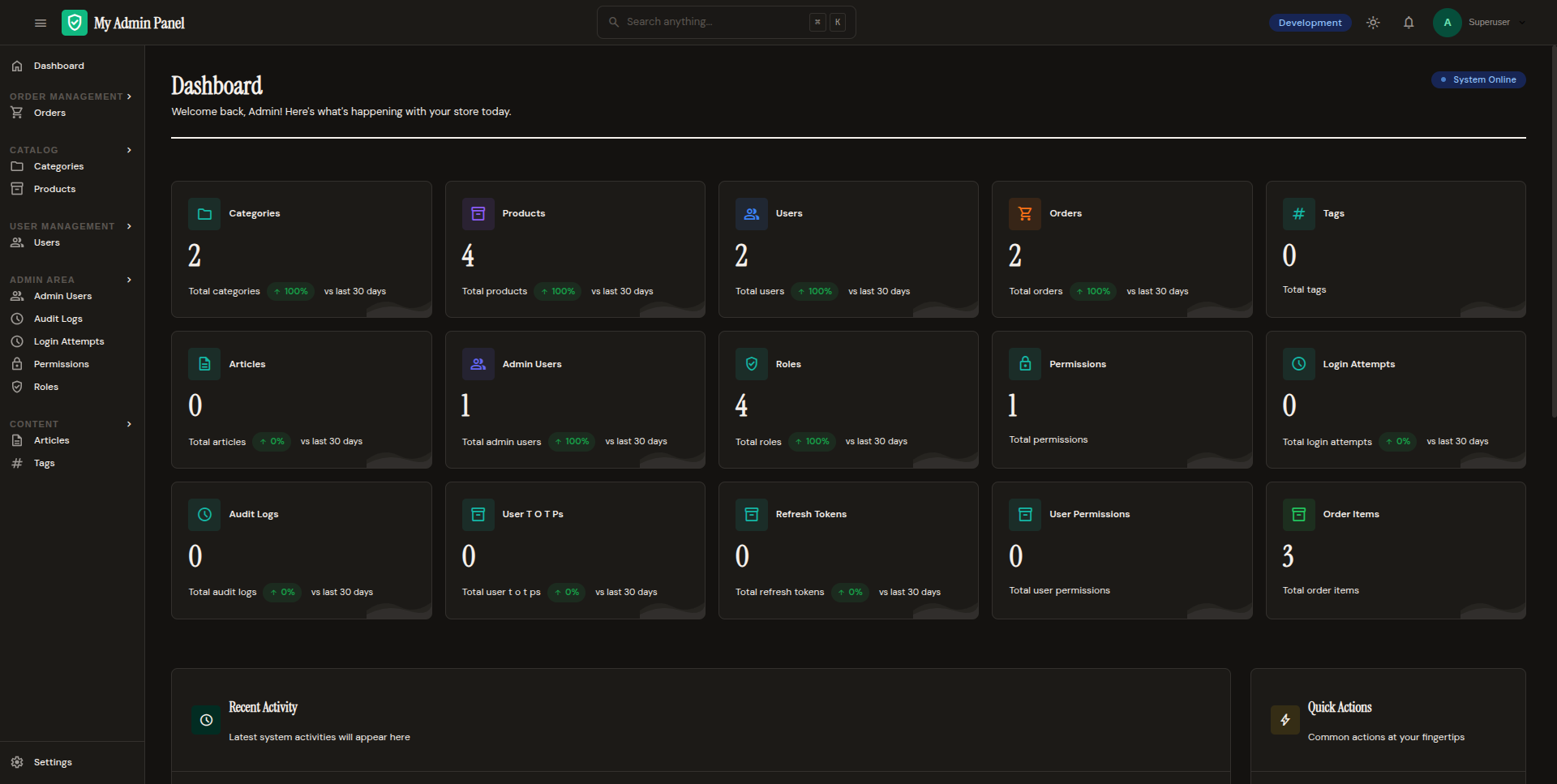
The dashboard is the landing page at /admin/. It displays configurable components showing key metrics and quick actions.
Dashboard Components
Stat Cards
Display key metrics with values and descriptions:
admin = Admin(
    app=app,
    engine=engine,
    secret_key="...",
    dashboard_stats=["products", "orders", "users"],
)
This auto-generates stat cards showing record counts for each model.
Custom Components
Use the dashboard component classes for custom layouts:
from fastapi_admin_kit.dashboard import (
    CardComponent,
    ChartComponent,
    TableComponent,
    ProgressComponent,
    LinkComponent,
)
| Component | Description |
|---|---|
CardComponent |
Stat card with title, value, description, and link |
ChartComponent |
Chart placeholder (line, bar, pie, doughnut) |
TableComponent |
Data table with headers and rows |
ProgressComponent |
Progress bar (0-100) with title and description |
LinkComponent |
Button/link with icon and URL |
Configuration
Dashboard Options
| Option | Type | Default | Description |
|---|---|---|---|
dashboard_stats |
list[str] |
None |
Models to show stat cards for |
dashboard_charts |
bool |
True |
Enable chart components |
dashboard_grid |
str |
"auto" |
Grid layout ("auto" or custom) |
dashboard_card_style |
str |
"default" |
Card visual style |
dashboard_stat_size |
str |
"normal" |
Stat card size |
dashboard_permission |
str |
None |
Permission required to view dashboard |
Example Configuration
admin = Admin(
    app=app,
    engine=engine,
    secret_key="...",
    dashboard_stats=["products", "orders", "users"],
    dashboard_charts=True,
    dashboard_grid="auto",
    dashboard_card_style="default",
    dashboard_stat_size="normal",
    dashboard_permission="dashboard.view",
)
Permission Gating
Restrict dashboard access to users with a specific permission:
Users without this permission see a blank dashboard or are redirected.
Next Steps
- Configuration — More admin options
- Authentication & RBAC — Set up permissions